HR & People Management
Manage your workforce alongside your operations — not in a separate HR system. Service Opus handles time-off requests and approvals, certifications, timesheets, safety incidents, and team organization in the same platform your office already uses for scheduling and jobs.
What HR management covers
- Time-off requests with manager approval workflow
- Time entries and timesheets per job
- Employee certifications with expiry tracking
- Safety incident logging and tracking
- Team organization and scheduling preferences
- Employee skills for crew matching and job assignment
Time-off requests and approvals
Employees submit requests; managers approve or reject them. The full audit trail — who approved what and when — stays on the record.
Employee-submitted requests
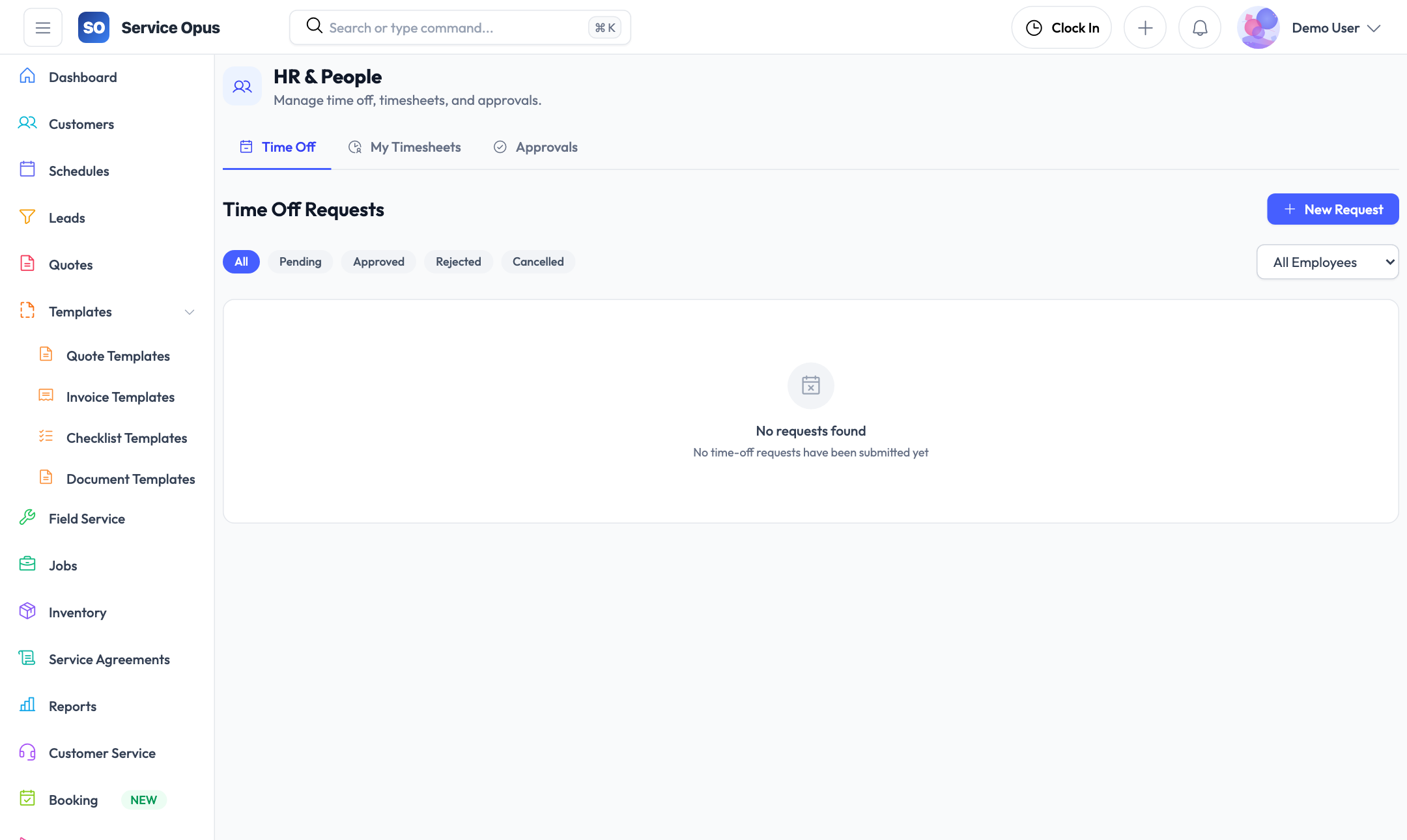
Any employee can submit a time-off request specifying start date, end date, and reason. Requests sit in a pending state until a manager acts on them, giving your office visibility into what is being requested before the schedule is affected.
- Start and end date selection for multi-day requests
- Reason field for context and documentation
- Employees can cancel their own pending requests
- Status tracking: Pending, Approved, Rejected, Cancelled
Manager approval workflow
Managers review the time-off list filtered by status. Approving or rejecting a request records who acted on it and when — the approval is timestamped against the approving employee's record so there is a clear chain of accountability.
- Approve or reject with a single action from the request detail
- Approved-by employee and approval timestamp recorded
- Filter the list by pending, approved, rejected, or cancelled status
- Filter by employee to see all requests for a specific person
List visibility
The time-off list shows all requests across the company with status chip filters so managers can quickly drill into what needs attention without scrolling through resolved records.
- Status chip filter: show only pending, only approved, or all
- Employee filter to review a single person's history
- Date-range context visible directly in the list row
Time-off request states
- Pending — submitted, awaiting manager review
- Approved — accepted; approving manager and timestamp recorded
- Rejected — declined; reason can be captured in notes
- Cancelled — withdrawn by the employee before action was taken
Time entries and timesheets
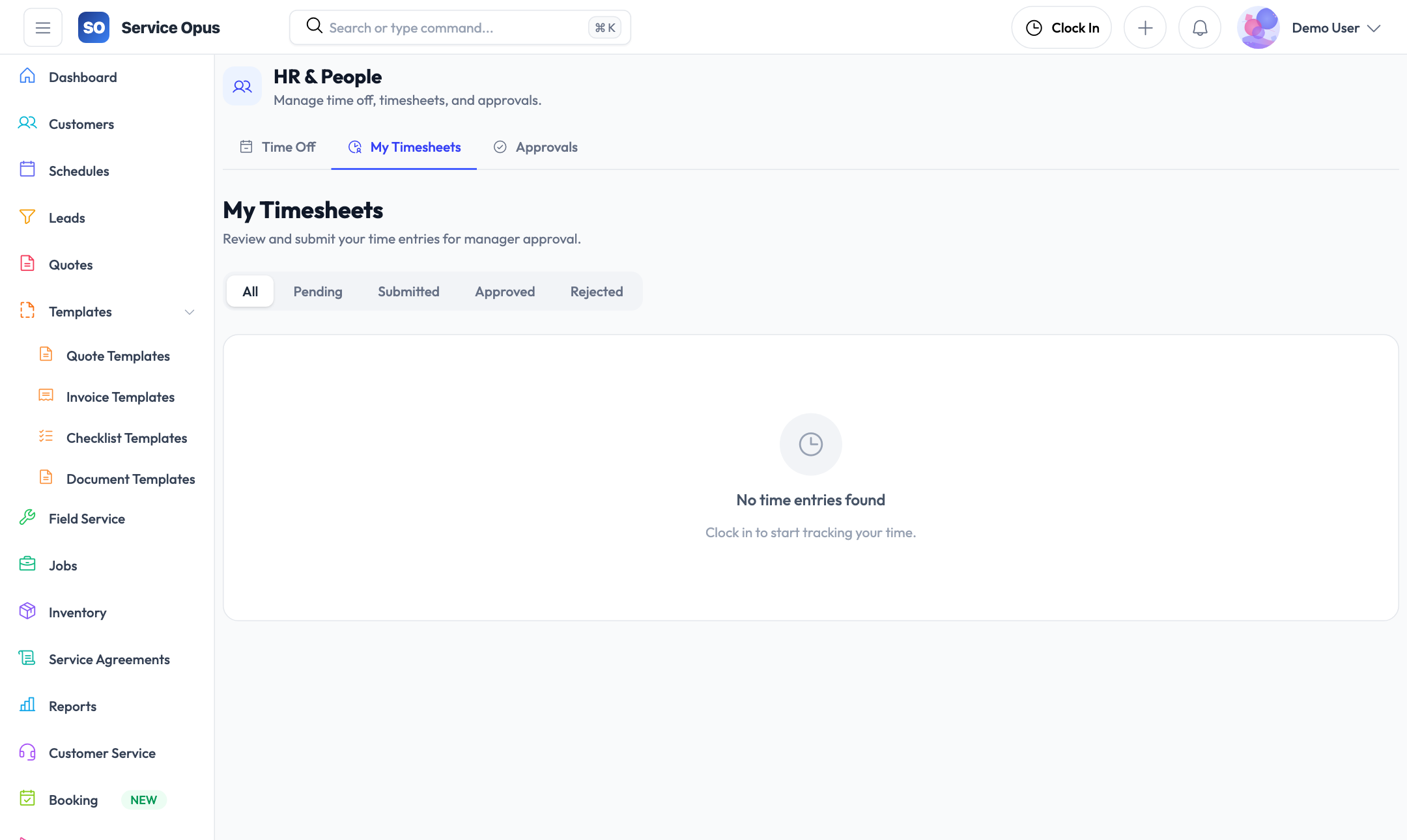
Time is captured at the job level, giving you accurate labor cost data and a verifiable record of how long work actually took.
Per-job time entries
Log start and end times for each employee's time on a job. Multiple entries per job are supported for multi-day or multi-visit work.
Employee attribution
Each time entry is tied to a specific employee and a specific job, giving you the data needed to understand labor cost per job and per person.
Timesheet review
Review time entries across the team with filtering by employee and date range — the data you need for payroll or billing reconciliation.
Job labor cost
Time entries feed into the job's labor cost view so you can compare actual time spent against what was quoted.
Performance data
Time entry data feeds the employee performance module — you can review jobs completed, hours logged, and workload distribution per employee over any date range.
Connected to jobs
Time entries live on the job record, so job managers can see who worked and when without switching to a separate timesheet system.
Certifications and safety
Keep compliance records and safety documentation alongside the employee and job records they belong to.
Employee certifications
Track which certifications each employee holds — trade licences, safety cards, manufacturer certifications, or any other credential your business requires. Each certification carries an expiry date so you can see what is current and what is coming up for renewal.
- Certification name and issuing body
- Issue date and expiry date per certification
- Per-employee certification list accessible from the employee record
- Certification types configurable to match your trade's requirements
Safety incident logging
When an incident occurs on a job, log it directly against that job record. The incident record captures what happened, when, and who was involved — the detail needed for reporting and insurance documentation.
- Incident linked to the specific job where it occurred
- Description, date, and severity captured on the record
- Incident history visible on the job detail
- Company-wide safety incident tracking across all jobs
Employee skills
Record what skills each employee has — trade qualifications, equipment certifications, specialty knowledge, or any competency your work requires. Skills are used by the crew suggestion engine to recommend the best-fit employees for a given job based on what the job requires.
- Add and remove skills per employee from the employee record
- Job required skills matched against employee skills in crew suggestions
- Skill match count used as the primary crew sorting criterion
Crew suggestions
When a job lists required skills, Service Opus suggests which employees are the best fit. Suggestions are ranked by:
- Skill match count — how many of the required skills the employee has
- Distance — proximity to the job site using location data
- Current workload — hours already scheduled for the period
Crew suggestions surface the right people without manual cross-referencing across employee records.
Teams and scheduling preferences
Organize employees into teams and capture per-employee working preferences that feed the scheduling tools.
Employee teams
Group employees into named teams — crew teams, service divisions, or geographic groups. Teams can be used to filter scheduling views and reports.
Scheduling preferences
Record per-employee scheduling preferences including preferred working hours and availability patterns to inform dispatch decisions.
Calendar color
Each employee has a configurable calendar color used in the visual scheduler to make it easy to distinguish team members across the swim-lane planner view.
Location data
Employee latitude and longitude can be recorded to enable distance-based crew suggestions — useful for companies with field staff across a wide service area.
Role-based access
Permissions are assigned per employee. Field staff see their own jobs; managers see their teams; owners have full access. Approval limits on quotes are also configured per employee.
Performance tracking
Review each employee's job completion history, hours logged, and workload distribution over any date range — computed directly from job assignment and time entry data.
See it in action
People data that connects to operations
Time-off, timesheets, skills, and certifications live in the same platform as scheduling, jobs, and invoicing — no data entry across two systems.