Inventory & Parts Management
Know what you have, where it is, and when to order more. Service Opus manages parts, materials, and products across multiple warehouses — with purchase orders, vendor records, stock transfers, and forecasting built in so your field team never arrives on a job without the right parts.
What inventory management covers
- Items, categories, bundles, and units of measure
- Stock levels per warehouse with transfer support
- Vendors, purchase orders, and receiving
- Serial number tracking for individual items
- Inventory reports and demand forecasting
Parts catalog and product structure
A clean item catalog is the foundation of accurate quoting, job costing, and stock management. Service Opus gives you the structure to organize your parts and materials without unnecessary complexity.
Inventory items
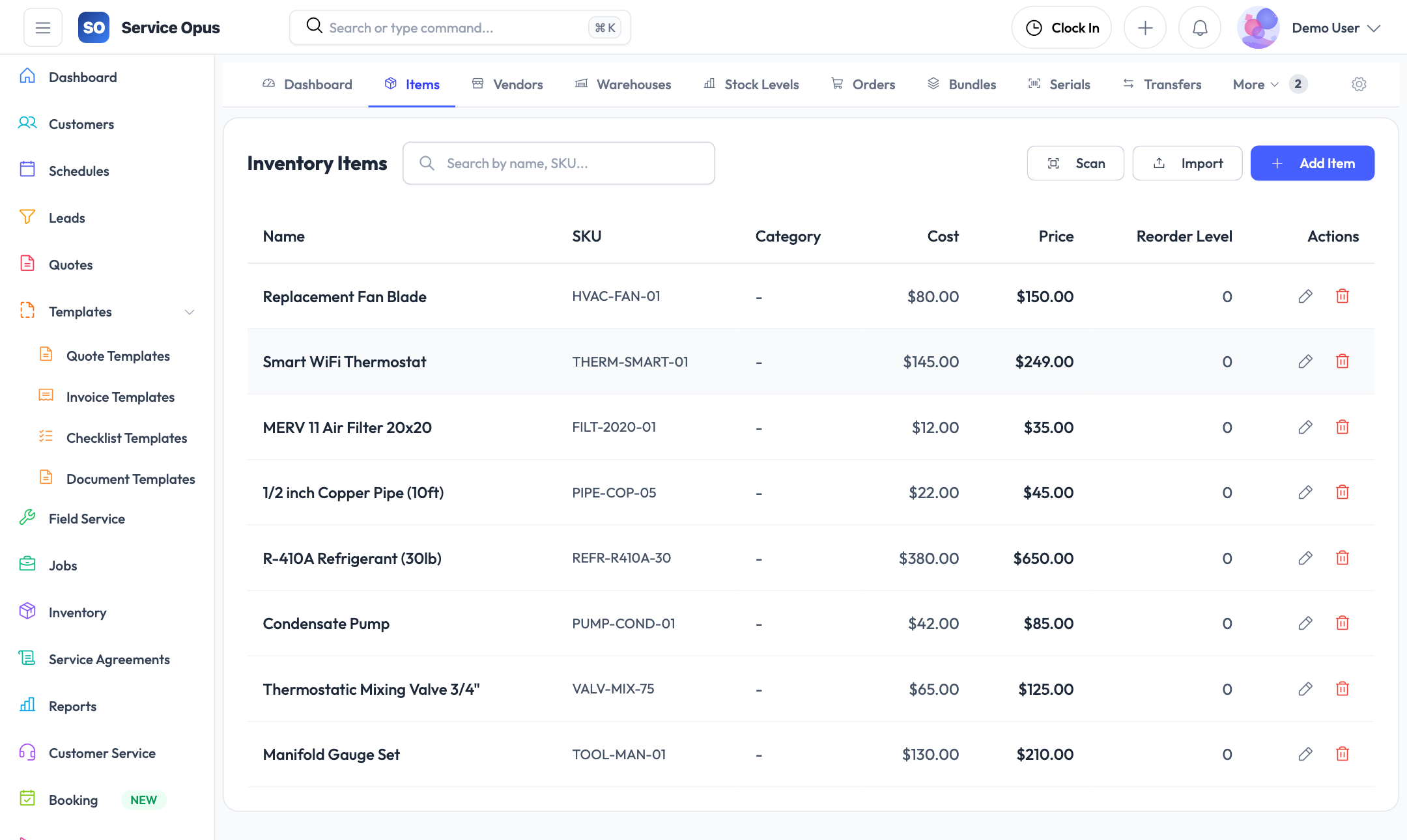
Create a central item catalog covering every part, material, or product your business uses. Each item stores the description, category, unit of measure, cost price, and sale price you need for accurate quoting and job costing.
- Item name, description, SKU, and category
- Unit of measure per item (each, linear foot, square metre, hour, etc.)
- Cost price and sale price stored per item
- Active/inactive status to retire items without deleting history
Product categories
Organize your catalog into categories — plumbing fittings, electrical components, HVAC filters, hand tools, consumables, or whatever grouping matches how your business thinks about its stock. Categories make the item list searchable and keep reports meaningful.
- Create as many categories as your catalog requires
- Filter item lists and reports by category
- Category visible on purchase orders and stock reports
Product bundles
Group commonly-used items into reusable bundles. When you quote or invoice a standard installation or service, add the bundle and all component items are added in a single step. Bundles save time and reduce the risk of forgetting line items on complex jobs.
- Bundle contains multiple items with defined quantities
- Add a bundle to a quote or invoice as a single action
- Bundle components remain individually editable after being added
Units of measure
Configure the units of measure that apply to your business — each, pair, box, roll, metre, litre, kilogram, or any other unit you use. Units are assigned per item and carry through to quotes, invoices, and purchase orders for consistent measurement language.
Item catalog capabilities
- Unlimited items in the catalog
- Searchable by name, SKU, or category
- Cost and sale price tracked per item
- Items used directly in quote and invoice line items
- Bundle groups for multi-item installations
- Units of measure configurable per business
Stock levels and warehouse management
Track what quantity you have on hand across all your locations — van stock, main warehouse, satellite depots, or any other location your business operates from.
Multiple warehouses
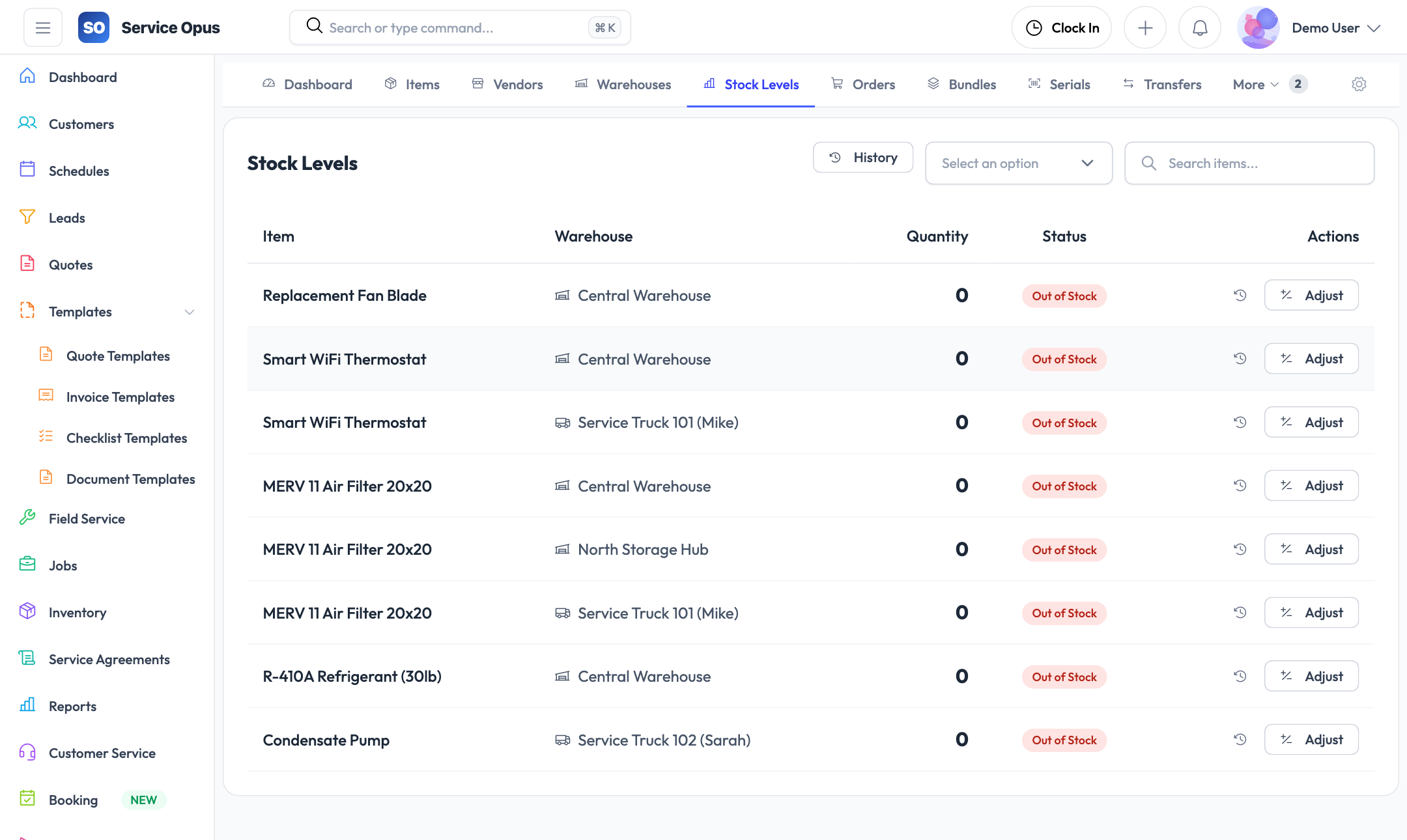
Create warehouse records for every storage location — your main depot, job-site containers, service vans, or any other location where stock is held. Each warehouse maintains its own independent stock levels.
Stock levels per location
For each item-warehouse combination, track quantity on hand, reorder point, and minimum stock level. See the full stock picture across all locations from a single screen.
Stock transfers
Move stock between warehouses with a documented transfer record. Whether you are restocking a van from the main depot or consolidating leftover materials from a job site, the transfer creates an audit trail of what moved, when, and where.
Serial number tracking
For high-value or warranty-tracked items, assign individual serial numbers. A serialized item is tracked through its entire lifecycle — from purchase order to installation on a specific job and customer site.
Inventory reports
Review stock levels, usage history, and valuation across your entire catalog. Filter by category, warehouse, or date range to understand where your inventory dollars are concentrated.
Demand forecasting
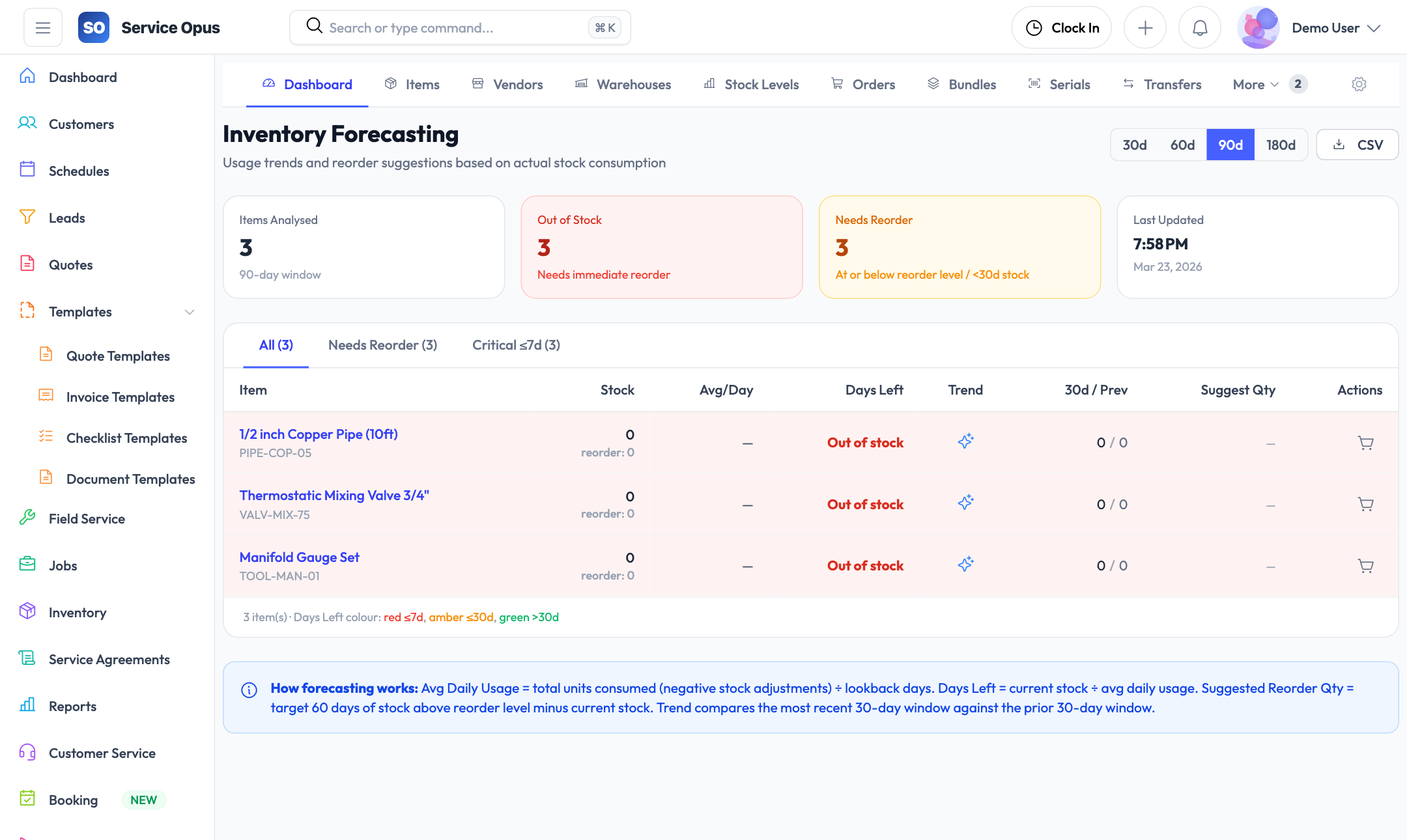
The forecasting module projects future stock needs based on historical usage patterns. Know what to order and when before you run out, rather than discovering a shortage when a job is already scheduled.
Vendors and purchase orders
Manage your supplier relationships and procurement process alongside your stock — so purchasing decisions are informed by real-time stock data rather than guesswork.
Vendor management
Keep a record of every supplier your business works with. Vendor records store the contact details, payment terms, and any notes your team needs when placing orders or resolving invoice discrepancies.
- Vendor name, contact, phone, and email
- Notes and preferred payment terms per vendor
- Purchase order history per vendor
- Active/inactive status for vendors you no longer use
Purchase orders
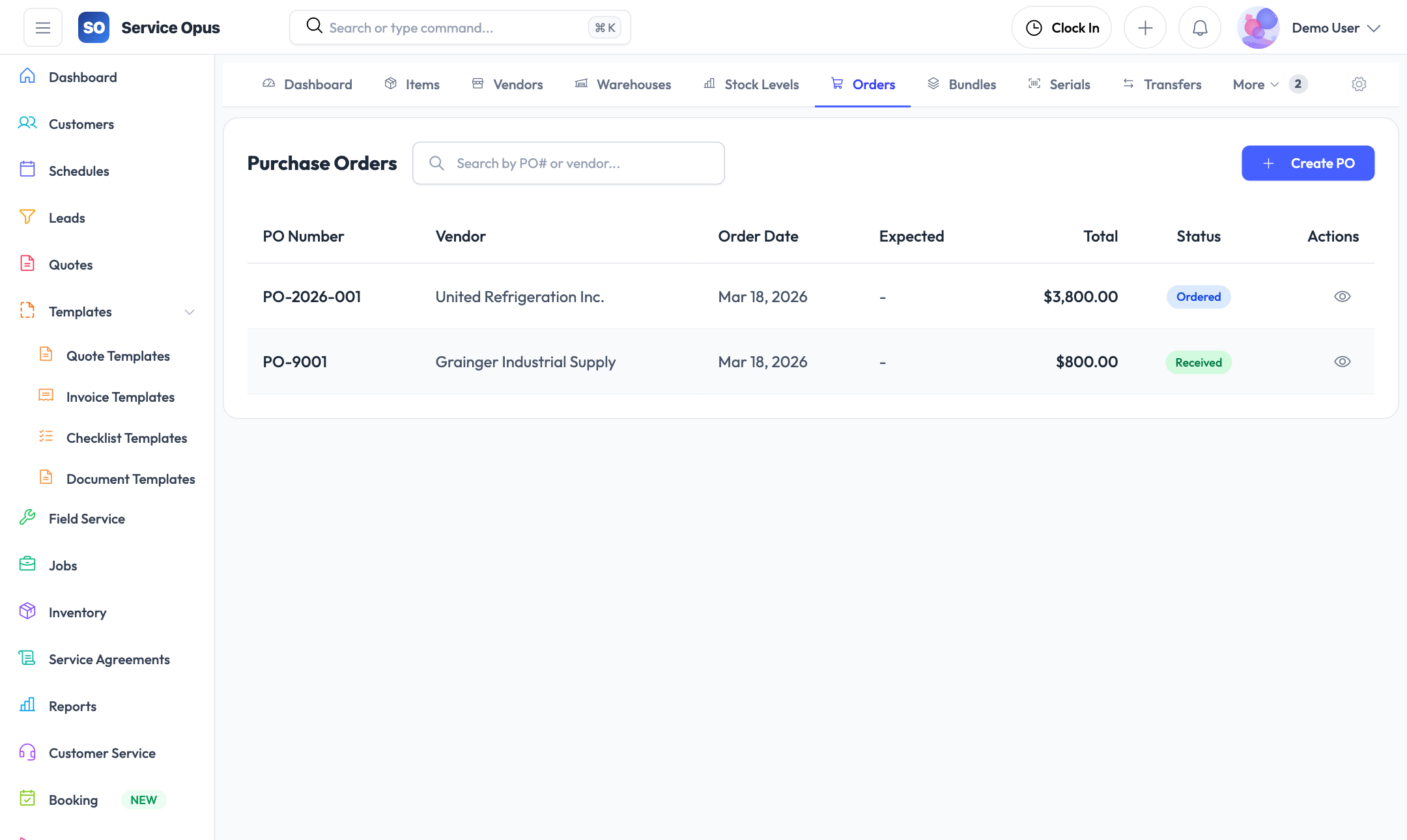
Create purchase orders to vendors for specific items and quantities. Each PO carries a status through the lifecycle from draft to received, with line items that match your item catalog so received stock automatically updates your on-hand quantities.
- Create POs against specific vendors
- Line items linked to catalog items with quantity and cost
- PO status tracking: Draft, Sent, Partially Received, Received
- Link purchase orders to specific jobs for cost attribution
Job purchase orders
Purchase orders can be attached directly to a job record. When materials are ordered specifically for a job, the PO lives on that job so your project team has full visibility of what has been ordered and whether it has arrived — without checking a separate procurement system.
- Job-level PO list shows all purchases for that work
- PO status visible from the job detail
- Materials cost feeds into job cost reporting
Purchase order lifecycle
- Draft — being prepared, not yet sent to vendor
- Sent — submitted to the vendor
- Partially Received — some items arrived, others pending
- Received — all items received and stock updated
See it in action
Stop guessing what's in stock
Inventory in Service Opus connects to your jobs, quotes, and purchase orders so the entire team works from the same picture of what you have and what you need.